Messages Storage Saver
Messages Storage Saver is a free Mac app that does for Messages what “Optimize Mac Storage” does for Photos.
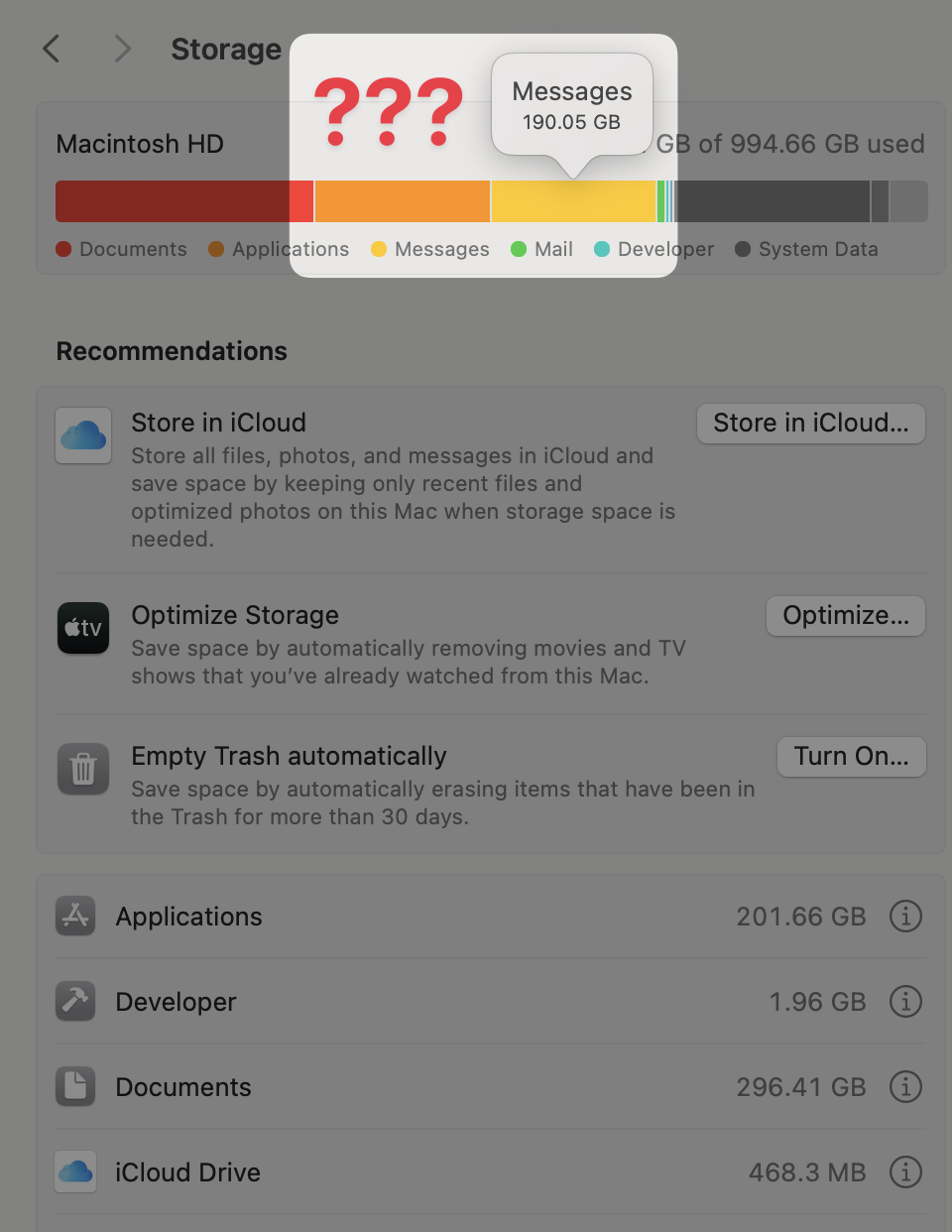
Messages was taking up 190 GB on my Mac. With Messages in iCloud, Apple keeps the master copy of every attachment in iCloud, but the Mac downloads each one and never lets go, so every photo and video anyone has sent me is stored twice, forever. iPhones quietly clear old attachments when they run low on space; the same code is on the Mac, but it’s switched off. And Apple’s only built-in options, “Keep messages: 30 days” and “Disable & Delete”, delete your conversations from iCloud and every device, which is much worse than the problem.
So I made the missing switch:
Your choice – pick how old and how large an attachment has to be (“larger than 100 MB and older than 2 years”), and a live table shows how much space every combination would free
Only the local copy goes – it removes attachments Messages has already marked as uploaded to iCloud. Nothing is deleted from iCloud, your other devices, or a conversation
Nothing breaks – Messages shows a download button on anything cleared, and brings it back from iCloud when you open it
Careful by default – every run is previewed first, pinned conversations are never touched, the Messages database is only ever read, and there’s no network access or analytics
Most of the work went into making sure it’s safe. Messages spreads a deletion to your other devices through “tombstone” tables that only its own database triggers write, and only when a row is deleted. Removing a file writes nothing to the database, so it can’t delete anything from iCloud, and the app watches those tables before, during and after every run anyway, stopping if they ever move. The details are in SAFETY.md.
It works on macOS 14 Sonoma and 15 Sequoia, and needs Messages in iCloud turned on. Check out the project on GitHub, and download the Mac app here.
Replies
No replies yet. Replies are read and approved by me before they appear. Only your name is shown, never your email address.